Storm damage assessment for overhead lines
Storm damage assessment finds where wind, ice or snow has brought vegetation down on or near overhead lines, and which spans need crews first. Optical satellites need a clear day, so GridGuardian combines carriers: crew and vehicle reports, high-resolution tasking and drone flights over the hit area, and the next clear open-satellite pass to map canopy loss along every span.
Why is storm damage mostly a vegetation question?
Vegetation is the most common cause of power outages in the U.S., at more than twenty percent of incidents.[1] The DOE guide notes that in extreme events the most damage often comes from vegetation outside the right-of-way, and cites a Connecticut study in which enhanced tree trimming reduced outages by 16–48% during extratropical storms and thunderstorms.[1]
Two things follow. Before the season, knowing which spans carry tall canopy within fall-in reach tells you where to look first. After the storm, you need a fast picture of where vegetation came down, from whatever carrier can see it that day.
Which carrier sees what, and when
No single sensor gives the full picture the day after a storm. Each step uses the carrier that is available and answers the question.
- GridGuardian · before the season
Know where to look first
Risk classes and the hazard tree list show the spans with tall canopy within fall-in reach. After a storm this is the order in which to check spans in the hit area. It is a risk class from measured data.
- FieldGuard · crews and the public
First reports from the ground
Crews record fallen trees, broken limbs and blocked access on the span, offline, with located photos. A white-label FieldGuard app for the public lets people report a fallen branch or a leaning pole with one photo.
Mobile networks may be down; reports sync when signal returns.
- Vehicle
Drive the roadside lines
The vehicle camera records roadside distribution lines at driving speed: fallen vegetation, damaged poles and what is still standing.
Only what the road sees, and only where roads are open.
- High-resolution satellite
Task the hit area
0.3–0.5 m imagery ordered through the data marketplace shows post-storm damage and blocked access over the affected sections.
Needs a cloud-free acquisition; lead time depends on the provider; bought per area.
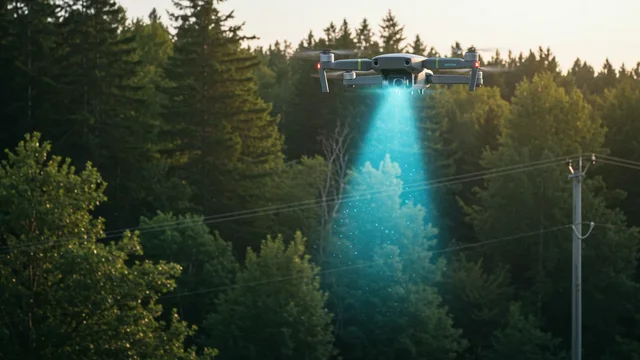
- Drone
Close look on flagged spans
Photo or LiDAR flights on the spans the reports and imagery flag: trees on conductors, hung-up limbs, damaged structures.
Wind and flight permissions limit flying right after a storm.
- Satellite · base resolution
Map canopy loss on every span
The next clear Sentinel-2 pass compares every span with its own history and flags canopy loss and windthrow patches across the whole network.
10 m pixels[2] do not show a single tree on a line, and the pass has to be cloud-free.
- GridGuardian → FieldGuard → satellite
Work, evidence, verification
Findings are ranked into work packages, crews clear and document them in FieldGuard, and the next pass verifies. Damaged trees left standing become new hazard trees on the span.
What each carrier tells you after a storm
| Signal | Data source | What it tells you | Limit |
|---|---|---|---|
| Crew report | FieldGuard | Fallen trees, blocked access, located photos | Only where crews can reach |
| Public report | White-label FieldGuard app | Early location of fallen branches or leaning poles | Unverified until a crew checks |
| Roadside imagery | Vehicle camera | Damage along road-side distribution lines | Only what the road sees; closed roads |
| Post-storm imagery | High-resolution satellite, 0.3–0.5 m | Damage and blocked access over the hit area | Cloud-free day; tasking lead time; per area |
| Close inspection | Drone photo or LiDAR | Trees on conductors, hung-up limbs | Wind, permissions, slow per km |
| Canopy loss against span history | Sentinel-2 | Windthrow and canopy loss on every span | 10 m pixels; clear sky; revisit |
More on choosing between carriers: satellite vs LiDAR vs drone.
Which platform links storm damage detection to crew work orders and proof of completion?
With us you find all of it in one place. Every report, image and flight lands on the same span in GridGuardian, is ranked, and goes to crews as a work package in FieldGuard. The app works offline, which matters when networks are down, and records photos with location and time and a completion check.
Results export to SAP PM, Power BI, file or API.
- Detection and risk class (HC0–HC3) on the span and its poles, with your own identifiers
- Work package to the crew or contractor in FieldGuard
- Offline in the field; photos with location and time; signature
- Completion check in the office, then the next satellite pass
- Exports to SAP PM, Power BI, file or API
Storm damage questions
Can satellites assess storm damage on power lines?
Yes, with limits. High-resolution imagery at 0.3 to 0.5 m shows fallen trees and blocked access over the hit area, and Sentinel-2 maps canopy loss on every span against its own history. Both need a cloud-free day, and Sentinel-2's 10 m pixels do not show a single tree on a line.
What if it stays cloudy after the storm?
Then the first picture comes from the ground and the air below the clouds: crew and public reports in FieldGuard, vehicle drives on roadside lines and drone flights where wind and permissions allow. The satellite fills in when a clear pass arrives.
How fast is the assessment?
It depends on the weather, road access and the imagery provider's tasking. Crew and vehicle reports usually come first; satellite imagery follows when a clear acquisition is possible.
Does it replace storm patrols?
No. It tells patrols and crews where to go first and keeps every finding on the same span, but people on site decide and do the work.
What happens to damaged trees left standing?
Leaning trees and broken tops become new hazard trees on the span. They enter the hazard tree list and are measured and ranked like any other fall-in risk.
Can the results go into our other systems?
Yes. Risk classes, work packages and results export to SAP PM, Power BI, file or API.
Try it on your own network
Send about 100 km of corridor and its network geometry. The base system is set up on it at no cost, and you can check the results in the field with FieldGuard.
- U.S. Department of Energy, Grid Deployment Office (prepared by Lawrence Berkeley National Laboratory): Vegetation Management. Resilience Investment Guide, September 2024. https://www.energy.gov/sites/default/files/2024-11/111524_Vegetation_Management.pdf
- ESA / Copernicus SentiWiki: Sentinel-2 mission overview (revisit and spatial resolution). https://sentiwiki.copernicus.eu/web/s2-mission